
Help centre › Recording and supervision
Watch classes that are running
Supervisors see every live class and can join without being seen.
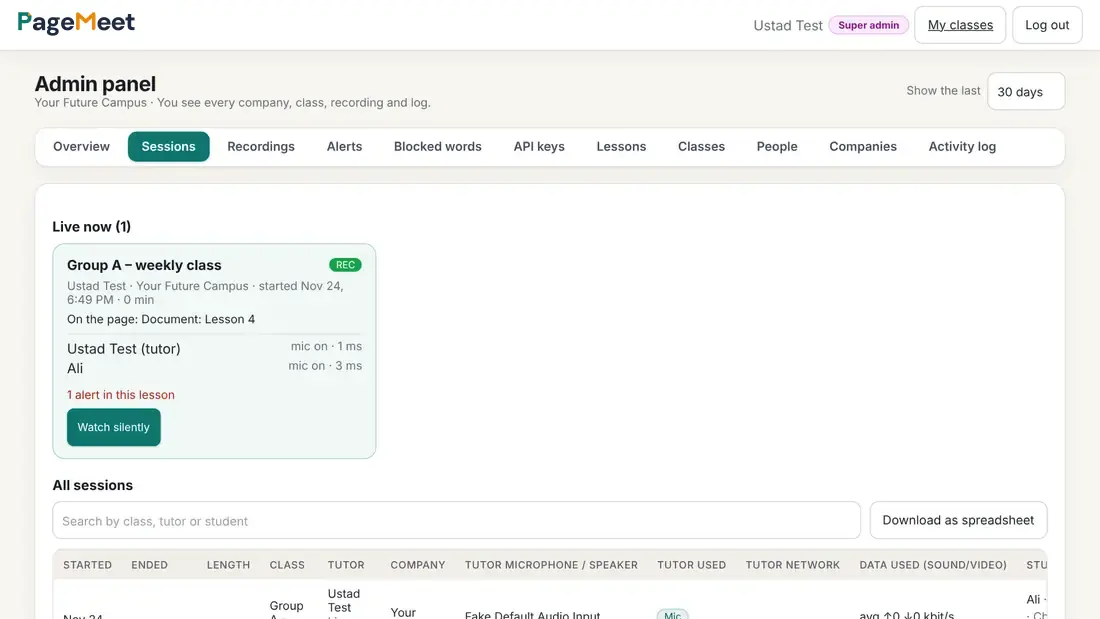
- Open Admin panel, then Sessions.
- Classes that are running now are at the top, with who is in them, their devices and connection quality.
- Press Watch silently to see the page and hear the class. Nobody in the class sees you in the list.
Each silent visit is written to the activity log with your name and the time.
After the class
Sessions also lists past lessons with start and end times, who attended, and whether the microphone, camera, screen share, whiteboard and book were used.
Alerts shows blocked messages and spoken matches. See Contact details and bad language.
Was this not enough? Ask us and we will answer and improve this page.